Matthew West’s song “Hello, My Name Is” is a good one!
“Hello, my name is child of the ONE True King” – Matthew West’s Facebook Cover Photo
Matthew West’s song “Hello, My Name Is” is a good one!
“Hello, my name is child of the ONE True King” – Matthew West’s Facebook Cover Photo
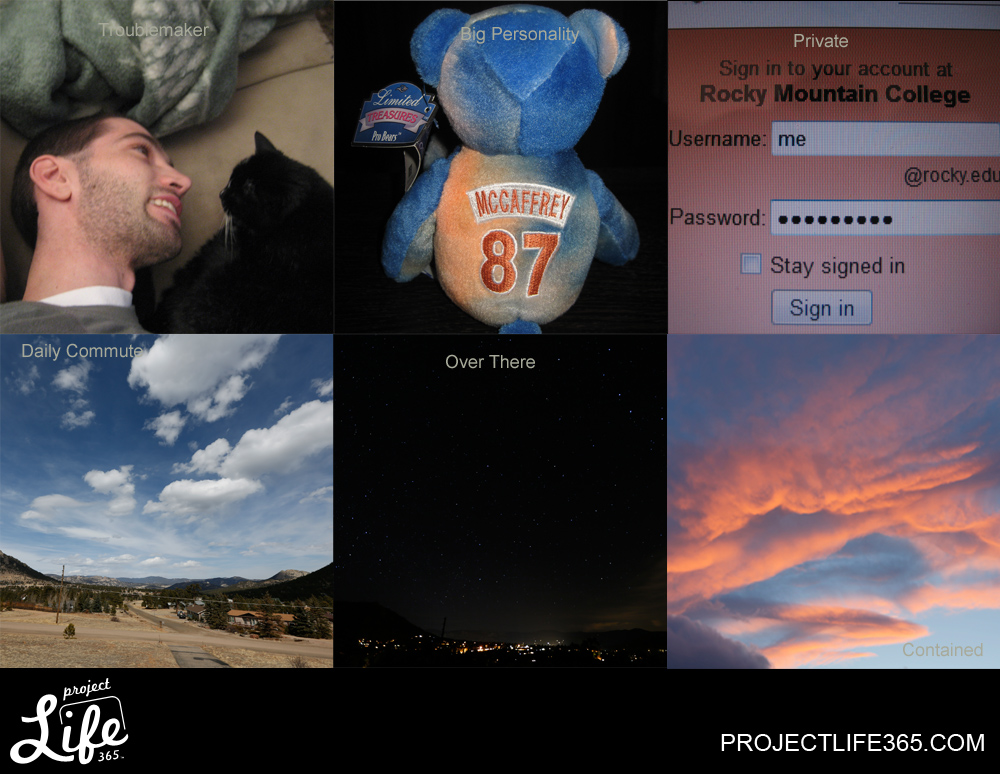
It has been difficult to keep up with the photo a day challenge. None-the-less, I do manage a photo a day!
3-3: Troublemaker [Who is the troublemaker here?]
3-4: Big Personality [Ed Mccaffery used to be a big personality for the Denver Broncos]
3-5: Private [I keep my passwords private]
3-6: Daily Commute [My daily commute is out that way]
3-7: Over There [The town of Estes Park is over there]
3-8: Dreamy *not pictured
3-9: Contained [I thought a photo of a fire would be interesting for this theme, but the sunset contained more colors!]

I don’t typically use Photoshop, but when I do – I stitch panoramas. [A play on words from the Dos XX commercial] This photo is 12 exposures. It makes for a more interesting photo than one exposure because it gives a much wider angle of view. Of course, if I went back with my new wide angle lens I may only have to take 4 pictures to get this! This is West Creek Falls.

It seems like some of the themes are more intriguing than others! Guess that adds to part of the challenge of taking a photo every day.
2-24: Goodnight [Snowboots was thinking it’s a good nap in front of the wood burning stove – not quite night]
2-25: Good Morning [My bagel for breakfast]
2-26: Blue [Made me think of a stereo display]
2-27: Nook [*Not pictured*]
2-28: Handmade [I hand tied these flies for fishing]
3-1: You Today [“Here’s lookin’ at you” today]
3-2: Process [I was in the process of downloading files from one of the online workshops from CreativeLIVE]
I didn’t close the polls for the photos until about 30 minutes ago so there was an extra 2 hours and 45 minutes! Any way, now that the polls are closed, the votes have been counted. The results from 44 total votes [from Facebook, blog and email] are:
Most popular photo goes to number 10 [Sprague Lake at sunset].
Second place goes to number 6 [Loch Vale].
Third place goes to number 4 [Dwarf Columbine].
Thank you for all the votes! Hopefully one of those three will be selected for the ornament.
There was a four way tie for 4th between numbers 1,7,9 and 12; a two way tie for 5th between numbers 2 and 5; photo 2 came in 6th; and a two way tie for 7th between numbers 8 and 11.
I have an opportunity to submit a photo to the local Helping Hands organization for their annual Christmas decoration fundraiser.
I narrowed down my choice[s] to one dozen pictures. I thought it would be neat to poll the audience on a selection for which photo[s] I should submit.
Take a look at the grid of photos [the images are cropped] and then let me know which photos are the best by submitting an answer to the poll question. Multiple answers can be given. Voting more than once is permitted as long as the browser cookies are cleared between votes. Click on the photo grid to enlarge, then click the back button to return to the blog post and poll. The deadline for the photo submission is March 4th. March 3rd is when the poll will end so I have time to send the photos in.
Another way to vote is on the Just Photographin Facebook Page. I created a photo album with these same twelve photos. In order to vote via Facebook: log in, head to www.facebook.com/JustPhotographin, find the Christmas Ornament Fan Poll photo album and “like” as many of the photos! The photos in the facebook album have not been cropped.
Thank you for participating! I will post the top fan picks and hopefully one will be selected for the 2013 Helping Hands Christmas Ornament!

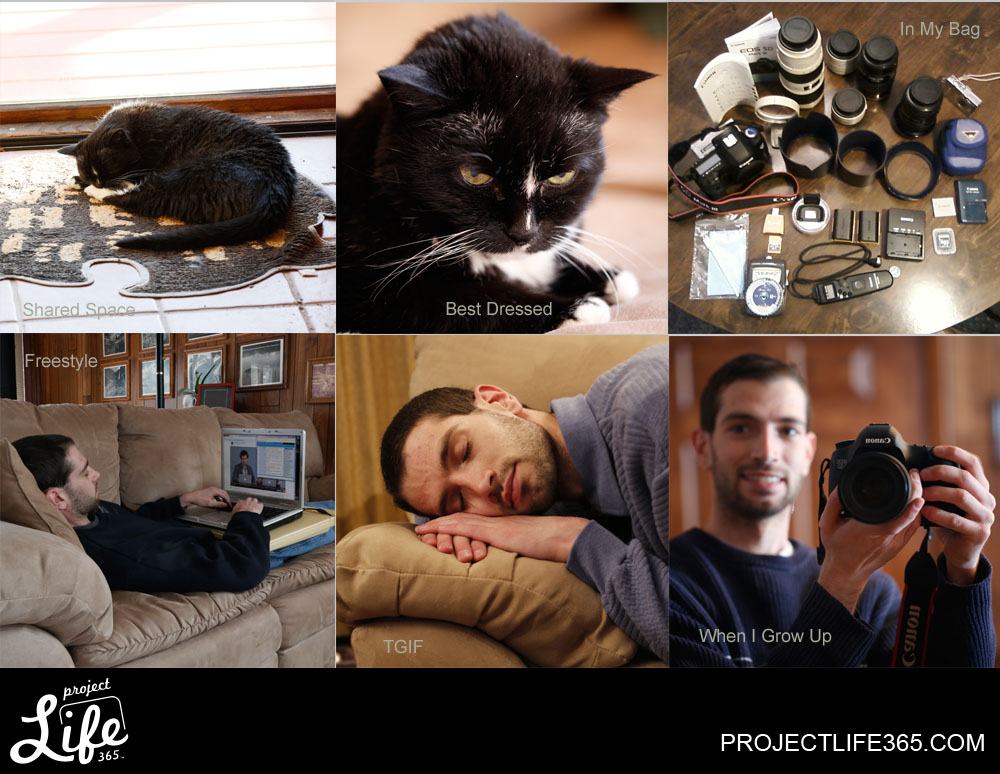
This was a rather fun week in photography for me! I watched an online workshop about the Fundamentals of Digital Photography. This week’s collage includes new things that I learned about digital photography, my camera, and image files!
2-17: Shared Space [I share the living space with our cat – Snowboots]
2-18: Best Dressed [Snowboots has always been a pretty kitty]
2-19: More *Not displayed here
2-20: In My Bag [My photo equipment]
2-21: Freestyle [I was watching the online workshop and chatting in the chat room provided by creativeLIVE]
2-22: TGIF [My brain had absorbed a lot of information throughout the week and was ready for a nap on Friday evening.]
2-23: When I Grow Up [Well, photography will still be a part of what I do!]
Someone asked me the other day – What is a TB when used in computer terms? TB stands for Terabyte. So, what is a byte?
A byte is the unit of measure of one character of text on a computer [the most common size byte being 8 bits, but it’s apparently not standard]. Another way to say this is a byte is the base unit of measure for how many characters computer storage/memory space can hold. So, a 1 byte drive can hold 1 character of data. Working from 1 byte, the next largest measured capacity is the kilobyte. 1 kilobyte is 1000 bytes [or characters] of data storage space. They could theoretically have a decabyte [10] and an hectobyte [100], but they aren’t typically used as a measure of computer storage capacity. Bytes are based off of the base 10 [metric] system.
The meter is the unit of length in the base 10 system. Some of the more familiar measures of length are:
millimeter [10 to the negative 3rd power = 1/1,000th of a meter]
centimeter [10 to the negative 2nd power = 1/100th of a meter]
decimeter [10 to the negative 1st power = 1/10th of a meter]
meter [10 to the zero power = 1 meter]
decameter [10 to the 1st power = 10 meters]
hectometer [10 to the 2nd power = 100 meters]
kilometer [10 to the 3rd power = 1,000 meters]
So, replace meter with byte and you have the same table:
A byte can be or is made up of bits, but I won’t get into that!
1 byte [10 to the 0 power = 1 character space]
1 kilobyte (KB) [10 to the 3rd power = 1,000 character spaces]
1 megabyte (MB) [10 to the 6th power = 1,000,000 character spaces or 1,000 kilobytes]
1 gigabyte (GB) [10 to the 9th power = 1,000,000,000 character spaces or 1,000 megabytes or 1,000,000 kilobytes]
1 terabyte (TB) [10 to the 12th power = 1,000,000,000,000 character spaces or 1,000 gigabytes or 1,000,000 megabytes or 1,000,000,000 kilobytes]
1 petabyte (PB) [10 to the 15th power = 1,000,000,000,000,000 character spaces or 1,000 terabytes or 1,000,000 gigabytes or 1,000,000,000 megabytes or 1,000,000,000,000 kilobytes]
1 exabyte (EB) [10 to the 18th power = 1,000,000,000,000,000,000 character spaces]
1 zettabyte (ZB) [10 to the 21st power = 1,000,000,000,000,000,000,000 character spaces]
1 yottabyte (YB) [10 to the 24th power = 1,000,000,000,000,000,000,000,000 character spaces]
And one last one for kicks!
1 googol (aka: google – which is a misspelling of googol, but pronounced the same) [10 to the 100th power = 10,000,000,000,000,000,000,000,000,000,000,000,000,000,000,000,000,000,000,000,000,
000,000,000,000,000,000,000,000,000,000,000,000,000 character spaces]
If a computer program says that it requires 300MB of storage space to run, that means it needs 300,000,000 bytes or character spaces on the storage device in order to be installed. That is fine if it is installed on a 500GB hard drive because 500GB = 500,000,000,000 bytes [character spaces]. So the 300MB program would take up 300,000,000 / 500,000,000,000, which is 6 times 10 the negative 4th power, which is .0006 amount of the available character spaces.
Now, that is why memory capacity becomes more important than hard drive capacity for computer speed. If you only have 12GB of memory, that is 12,000,000,000 bytes [character spaces]. 300,000,000 / 12,000,000,000 is a larger amount at .025 of the capacity of character spaces available. So, the computer is trying to cram the same amount of bytes [character spaces] into a smaller space of available bytes [character spaces], which slows the computer down.
Computers rarely run programs straight off the hard drive. They usually pull the data that is required to run the program into memory because the memory can communicate more quickly with the processor and other computer components. That is why some programs take a while to load but then run more quickly after they have loaded. As long as there is enough memory, there should be enough space to run everything fairly quickly!
If there is not enough memory, the computer then has to decide what information is more critical and try to pull that data from the hard drive onto the memory. The process may have to repeat several times. It has to clear memory space before it can pull more information off the hard drive. That is also why a computer slows down when it is running multiple programs at the same time. Now it is really filling up all the memory space with a lot of bytes and the computer has to start backlogging processes in order of priority.
Here is a brief description of processor speed that I calculated. 1 GHz is 1,000,000,000 bytes per second. This is because second is usually the standard unit of measure for time. With that known, a 1GB program will run in 1 second. 1,000,000,000 divided by 1,000,000,000 equals 1, and second is the unit of measure for time. It’s like rate times time equal distance [meters] only distance is replaced with bytes [storage character spaces].
Also, program load, run speed or download speed can also be calculated. A connection speed of 1KB/s is transferring data at a rate of 1 kilobyte per second. A 1 kilobyte file takes 1 second to transfer at that rate. Now, a 3MB file at 300KB/s is going to take how long to download? Convert megabytes to kilobytes. 3MB equals 3,000KB. Take the program size [or file size] divided by the rate to get time. 3,000KB / 300KB = 10 seconds for the amount of time for that much data to make the transfer.
That’s a long explanation to what a Terabyte is, but hopefully it makes more sense now. The larger the size hard drive, the more bytes [characters] it can hold. However, that doesn’t mean increased computer performance.
***References:
http://en.wikipedia.org/wiki/Byte
http://en.wikipedia.org/wiki/Terabyte
http://en.wikipedia.org/wiki/Googol
Wow, what a week. I am thoroughly pleased with the creativeLIVE – Fundamentals of Digital Photography workshop. Although I took a photography class before, it was back in the time of film… haha. Ancient, I know!
A lot of the fundamentals of photography do not change whether it is film or digital. It was nice to refresh and re-learn since it has been awhile since my last class. Also, I made the jump to a Digital Single Lens Reflex [DSLR] camera, and there is a lot more control even compared to film SLR cameras. Instead of being stuck with a film speed for an entire roll of film, the ISO speed is adjustable for any picture. The camera can “process” a lot more information within the digital file versus just capturing light on film. So, it is not necessarily easier to photograph with a DSLR versus a film SLR.
What made the creativeLIVE workshop really nice was that it answered a lot of my “technical” questions on digital photography. How is the exposure histogram read? What does a good histogram look like compared to a bad one? It may be apparent that my main concern was learning about proper exposures! The instant feed back of the DSLR makes it nice to make really quick adjustments. It is not always easy to remember what adjustment[s] can be made to fix exposure errors. That is why this class was really helpful!
The workshop was well thought out and prepared. For how much information that was covered, I was really able to absorb a lot. Of course, I will probably need another refresher sometime down the road. I am also sure that the more I watch the re-broadcasts, the more I will absorb! I went ahead and purchased the course because I think it is a great resource to keep on the computer to have access if I run into something I just cannot remember or am having issues with.
They kept mentioning that for a week long course it was like taking an entry level college course. I agree. However, it was nice to tune in at my own convenience as well as have the option to participate in discussion or just listen in to the instructor. As I mentioned before, I can also tune in any time since I bought the course.
So, that is what I have been up to for most of the week. I am excited to put what I learned into use! It does not mean getting a good photo, although there should be improvement. Taking bad photos is also a way to learn.
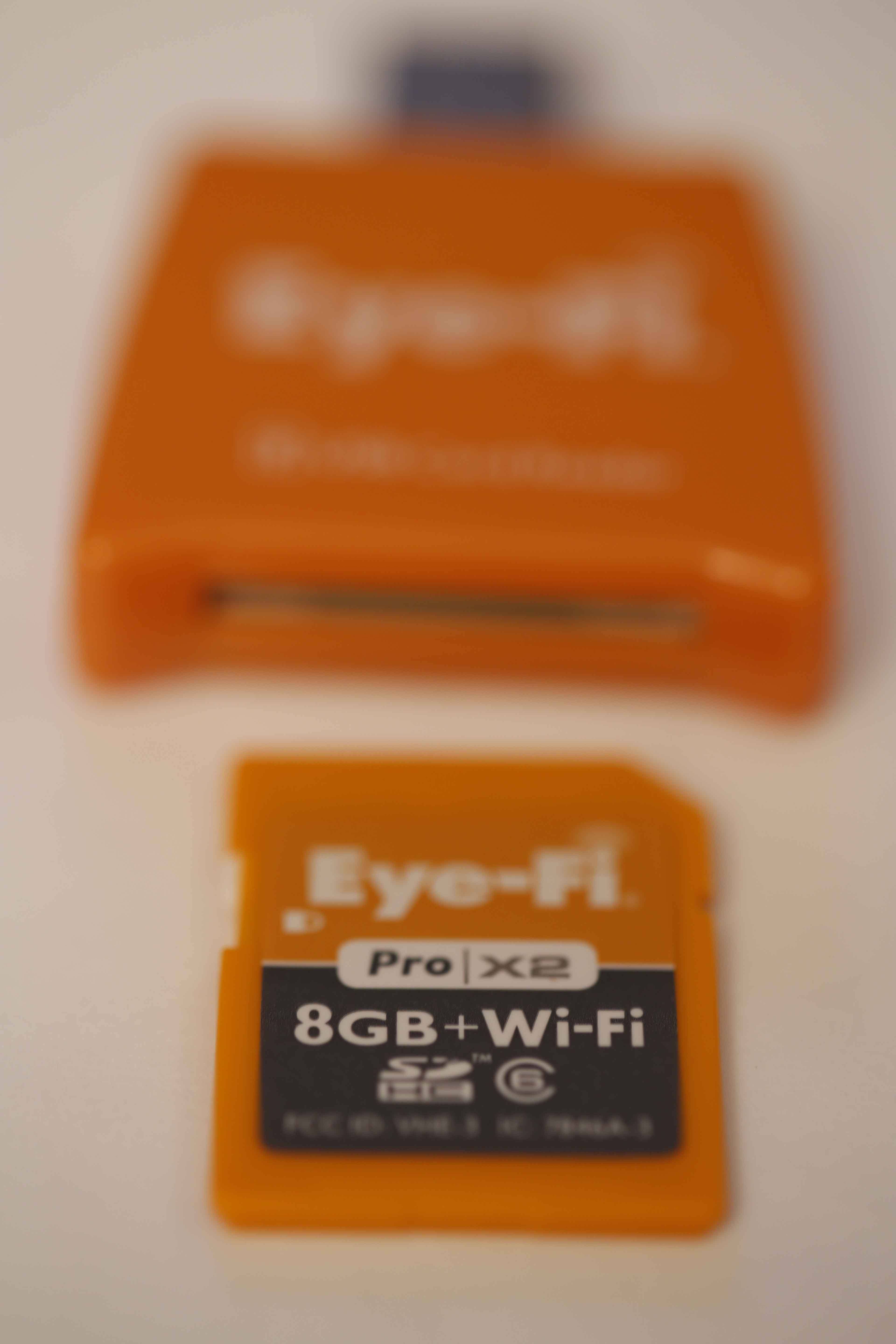
I purchased an Eye-Fi memory card and it was delivered today. I am playing around with it, and so far I am impressed. It is basically a memory card with a built in Wi-Fi adapter. It automatically sends pictures from the camera to the computer on my network. Pretty cool.
Only hiccup and criticism I have so far is that the instruction book and setup up give little to no direction. It just says – plug into the computer and follow the setup on the computer. It doesn’t give much direction as to what you need to do to actually make it work after you’ve plugged it in.
Fortunately, I figured out all of the settings on the computer, wireless adapter and camera, and it appears to be working properly now. The upload speeds are relatively fast, so far, and under the situation I have used the card [one or two picture test shots]. I’m sure I will have more of a review after I have used the card more.
Note – the camera may be smart enough [like mine] to recognize that an Eye-Fi card has been inserted. My camera automatically set the transfer mode to off… So, I snapped a few pictures and waited with no results. I looked at the memory card settings on the camera and determined that, indeed, the camera had turned off the transfer capability for the card.
Also, make sure that the wireless settings are available for your local wireless adapter/network. The Eye-Fi requires that the password is entered as well as the security type/method [WPA, WPA2, WEP, etc.] that is being used.
The Eye-Fi is not intended to be my primary memory card. In fact, there is a newer 16GB version. Since this is more of a non-standard memory card, I went for the cheaper older version – more to play around with it and see how well it works. I can always upgrade later if I find that it is really worth it.
I am in the process of looking at CF cards to fill a more permanent role as camera storage space, as well as other SD cards for backups. However, for quick local trips where I won’t be shooting more than 200 pictures, the Eye-Fi will probably come in handy.
 JUST PhotographIN'